
A new colleague at the desk needs to change the school’s opening times. Until now, the hardest part could be knowing which menu to open. As TIDEFORCE grew in 2026, we took a fresh look at where things belonged. In the new desktop workspace, searching for “opening times” takes that colleague straight to the setting.
Find your way from the work in front of you
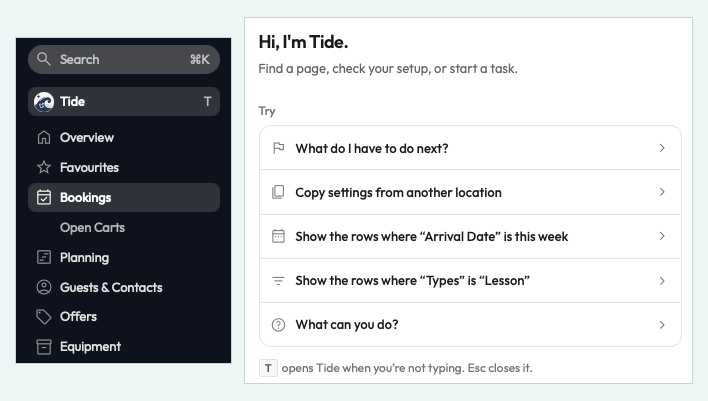
Hub is now called Bookings, and Inventory is Equipment. Your saved views carry over. On a wide screen, details open beside the list so you can check a record and keep your place. Where Tide is enabled, the beta assistant works alongside you. Ask it to show open bookings arriving this week, review its suggested filters and apply them. The whiteboard stays in view while you plan a group in the scratchpad or ask Tide a question. See Tide’s booking filters up close.
Offer the size your supplier has
A school can sell a 9 m² kite it has on hand and a 12 m² kite its supplier has available through the same shop article. It can also offer a supplier-only size. The team records availability and delivery time, then follows the paid order through purchasing and receipt. That means less cash tied up in stock before a guest buys.
Plan the exception once
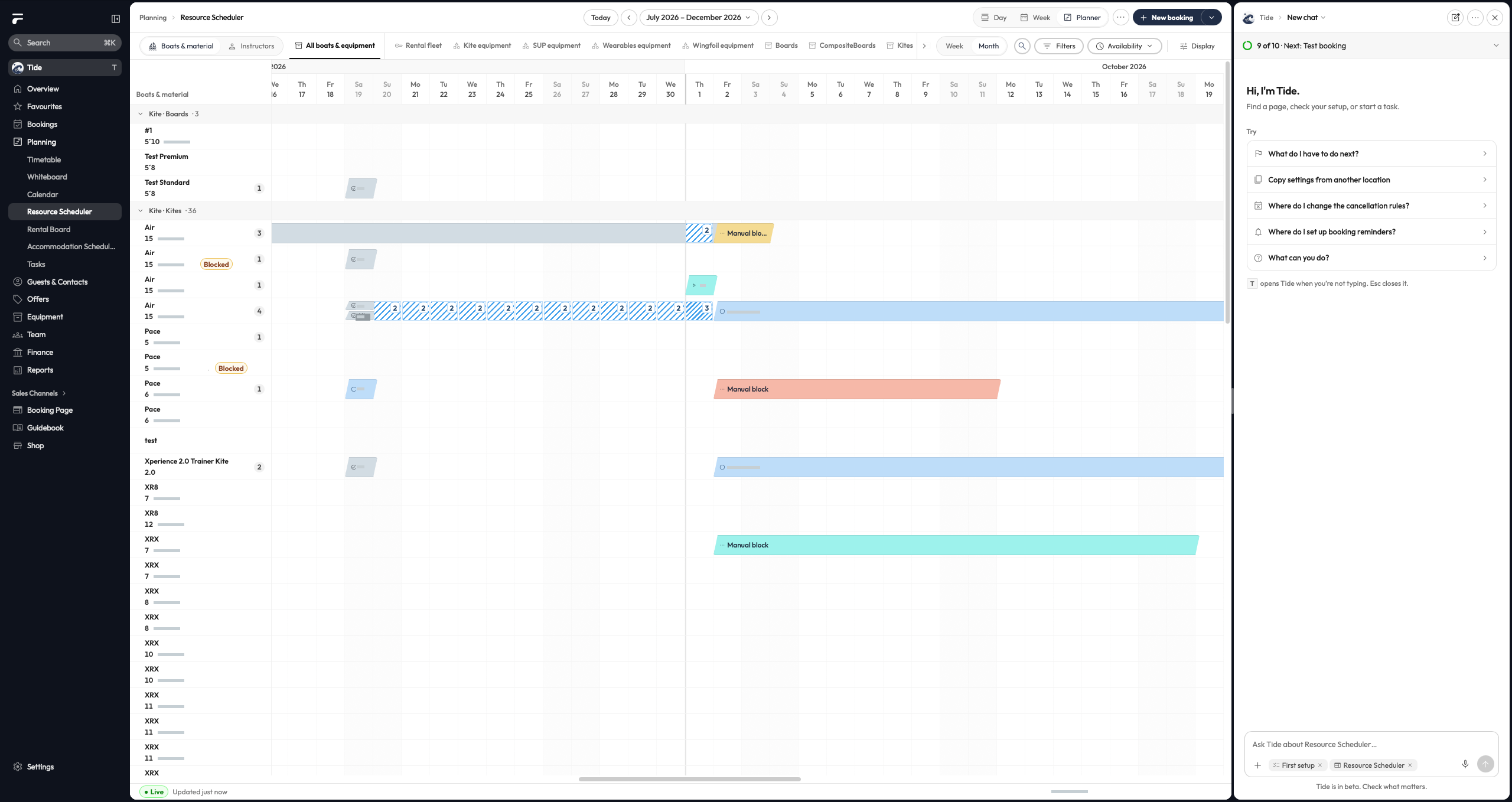
For a holiday week, a manager can increase course places and adjust prices for those dates. The Year plan previews the change and returns to the usual rules when the week ends. Selected seasons and recurring periods can carry into next year. Price overrides for a date range currently exclude rentals and rental packages.
For schools with accommodation, seasonal room rates also apply per night to new office bookings and event stays. Existing bookings keep their price.
Open the Resource Scheduler in full size.
Put extras where the decision makes sense
The Product Builder keeps the page preview beside the section you’re editing. Booking Engine V3 lets a school put a helmet on the rental page and offer a photo session just before checkout. Guests also see the day price for each rental class and can inspect a size’s photos before choosing it.
Read the numbers behind a busy week
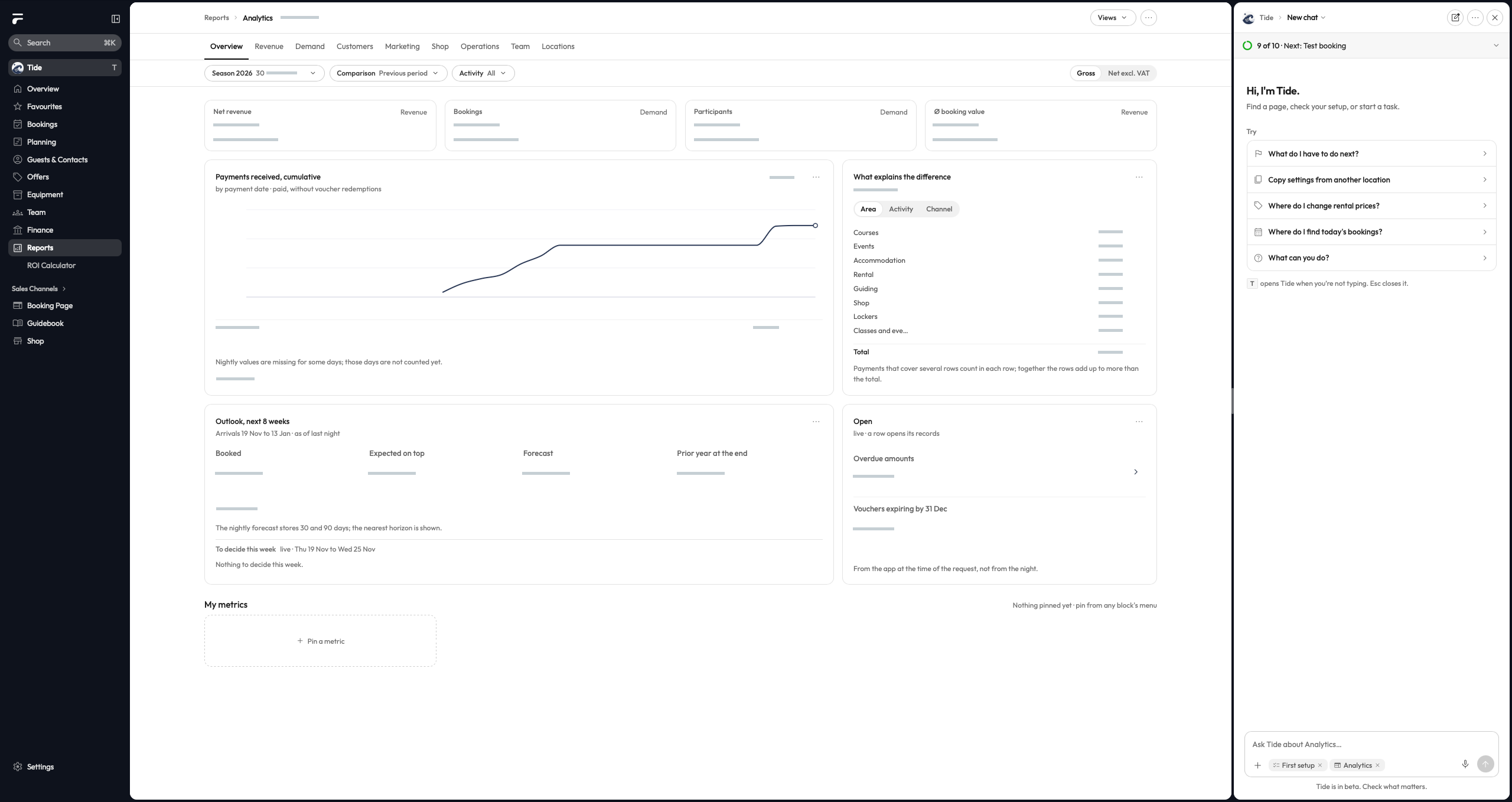
Analytics V3 brings together demand, revenue and operations. Teams can pin a figure they follow and see how it is counted. Reports reuse current results when reopened. Data coverage varies by school.
In the coming week, we’re working on forecasts, campaign analysis and a beta for equipment reporting. The aim is to show peak and quiet rental periods, how often each item is used, what it’s worth, what it costs per hour and how much profit an item or the whole pool generates after costs.
Need a hand with the new layout?
I’ve set aside time on Thursday, 19 November, and Friday, 20 November, to help school teams get comfortable with the new layout. If a setting is hard to find, email me with what you’re trying to do and I’ll walk you through it.
— Kilian
How does this work at your school?
Bring an everyday task from your school. We’ll show you how it could work in TIDEFORCE.
Request a demo →