


Why TIDEFORCE is different
Use caseTIDEFORCE is the Commerce & Operations Platform for Outdoor Sports Schools
Operational effectwhere a booking tool captures the reservation and stops, the platform runs everything around and after it on one connected data model.
Read context →
TIDEFORCE is the Commerce & Operations Platform for Outdoor Sports Schools. That category matters, because most software in this space is a booking tool — it captures the reservation and stops. A reservation is the easy part. The hard part is everything it sets in motion: selling more than one kind of thing, grouping students by level and language, allocating instructors and gear, checking people in, tracking which board went out, paying the team, invoicing a partner, pricing the next season. A booking tool hands all of that back to you. A platform runs it. The difference isn't a longer feature list — it's that booking, operations and finance share the same data instead of living in separate silos.
The platform model
Read details →
TIDEFORCE is built as three layers on one foundation: a commerce-facing surface your customers touch, an operations layer your team runs the day with, and the business infrastructure underneath that ties money, partners and pricing together. Each layer reads from and writes to the same connected data — which is why the whole thing behaves like a platform rather than a bundle of separate tools.
1. Commerce-facing layers — what your customers see
Services is one checkout for everything you sell: courses, lessons, rentals, tours, events, camps, shuttles, accommodation, camping, lockers and add-onsa 12-type cart, not a single appointment typeRead moreRead less→
Services is one checkout for everything you sell: courses, lessons, rentals, tours, events, camps, shuttles, accommodation, camping, lockers and add-ons — a 12-type cart, not a single appointment type. The Guidebook sits alongside it with local tips and day-plans, so a booking carries the context that turns a reservation into a good trip. The Shop sells equipment linked to your inventory, including used or demo school gear published from the same data your operations team already maintains. Confirmations and reminders go out by email, you can issue vouchers, preview changes with Live Preview, and embed a schedule widget on your own site.
2. Operations — how the day actually runs
When a booking lands, the operations layer is where the work happensA real-time whiteboard and timetable let you plan the day, allocate instructors and group students by language, level, age and skillRead moreRead less→
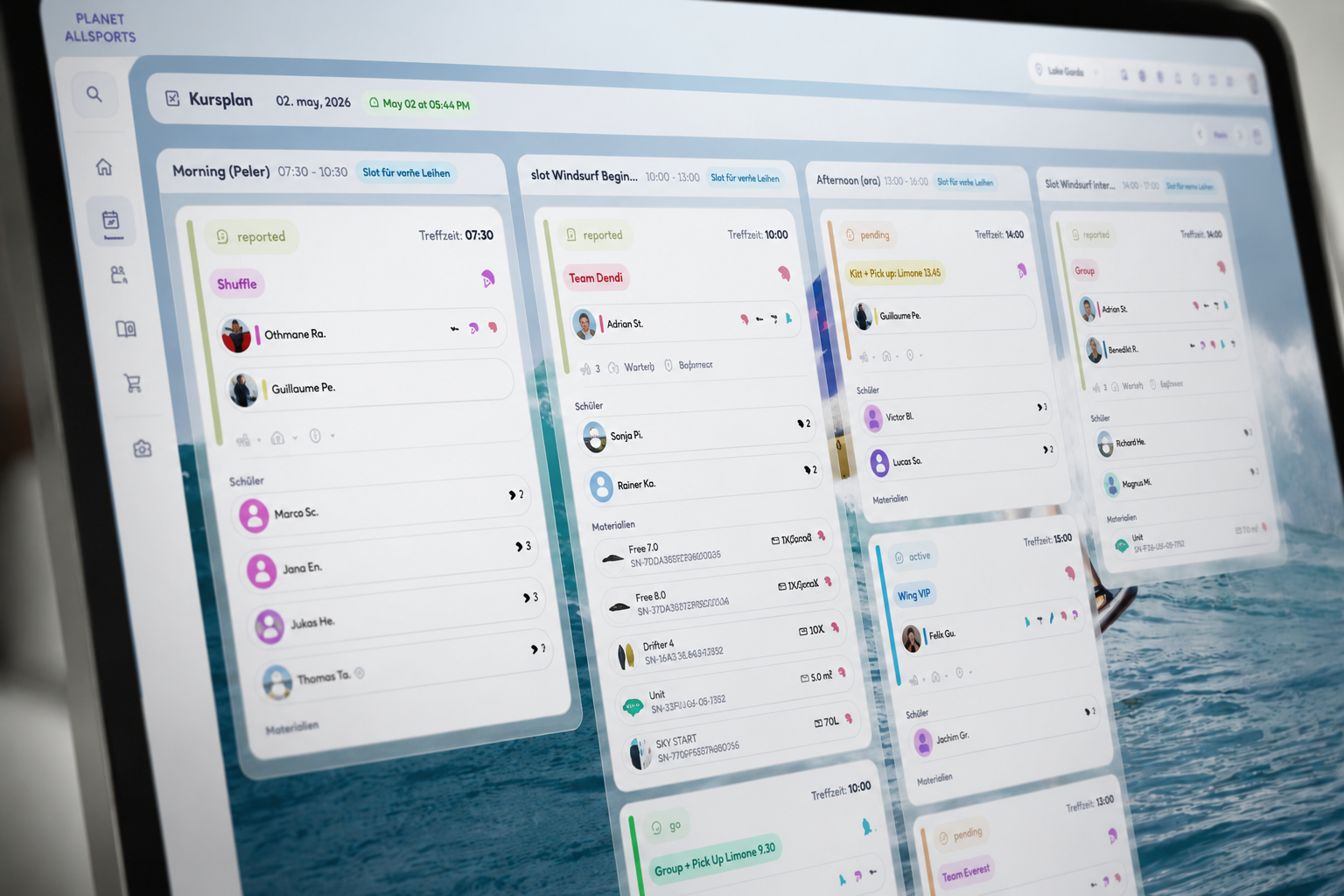
When a booking lands, the operations layer is where the work happens. A real-time whiteboard and timetable let you plan the day, allocate instructors and group students by language, level, age and skill — manual drag-and-drop, so a human stays in control of who goes where. You assign material to sessions and check people in. Material intelligence tracks usage hours, condition and location (Beta), so gear has a state, not just a name. Instructor session reports capture what happened in each session, and those reports feed payroll bookkeeping — sessions roll up into periods and payouts.
3. Business infrastructure — the layer underneath
Underneath sits the machinery that makes the business runPayments and integrated invoicing let you create an invoice directly from a booking or paymentRead moreRead less→
Underneath sits the machinery that makes the business run. Payments and integrated invoicing let you create an invoice directly from a booking or payment, with the data already connected — you confirm each one, so nothing is sent on your behalf. Providers and partners get their own role, account and access level to place and manage bookings, with B2B provider invoicing. Seasonal pricing sets high, mid and low season by date range per activity and location, with shared price tables via Pricing Modes, and capacity is set per slot, activity, day and season. Setup is fast with guided onboarding, self-serve customer and material CSV import, and Live Preview to check changes before they go live; a full migration from a previous system is white-glove.

Where the moat is: one connected data model
Read details →
The features above exist in scattered form across many tools. What's hard to copy is the model underneath: one booking, one customer and one order, joined to the instructors who taught it, the group it sat in, the gear that went out, the hours that gear logged, and the session reports that came back. Because the middle of the operation is captured, operational data flows outward — into commerce (used gear becomes sellable inventory), into finance (a session becomes a payout line and a confirmed invoice), and into retention (a customer's history is a real record, not a guess). A booking tool never captures the middle. It models a slot, a price and a customer, then hands the rest to spreadsheets and group chats — so it has nothing to light up the rest with. You can bolt more tools on, but the connections are the asset, and the connections are exactly what a booking tool can't produce after the fact.
Normal booking systems vs TIDEFORCE, dimension by dimension
Read status →
This is a fair, category-level comparison — not a swipe at any one product. Many booking tools do their narrow job well. The difference is scope and what the data is wired to.
| Dimension | Normal booking systems | TIDEFORCE |
|---|---|---|
| Core model | Appointment-first: a slot, a price, a customer | Platform-first: a booking joined to instructors, groups, gear, hours, reports and finance |
| What you sell | Mainly one service type or single appointments | Courses, lessons, rentals, tours, events, camps, shuttles, accommodation, camping, lockers and add-ons in one 12-type checkout |
| After the reservation | Usually stops at the booking | Runs the day: whiteboard and timetable planning, grouping, instructor allocation, material assignment and check-in |
| Student grouping | Not handled — falls back to spreadsheets | Manual grouping by language, level, age and skill, with a human in control |
| Equipment | Not tracked or connected to bookings | Material tracked for usage hours, condition and location (Beta) and linked to the shop |
| Inventory to revenue | Booking and inventory live apart | Gear is linked to inventory, so used and demo school gear can be published and sold from the same data |
| Reports & pay | Rarely included | Instructor session reports feed payroll bookkeeping — sessions roll up into periods and payouts |
| Invoicing | Manual, or a separate disconnected finance tool | Create invoices from a booking or payment with the data already connected — you confirm each one |
| Providers & partners | Email and WhatsApp back-and-forth | Providers get their own role, account and access level, with B2B provider invoicing |
| Pricing & capacity | Manual edits, one slot at a time | Seasonal pricing per activity and location with Pricing Modes, and capacity per slot, activity, day and season |
| Business view | Per-tool silos | Multi-location operational visibility across bookings, students, teams, gear and finance |
| Who owns the data | Varies; sometimes marketplace-locked | You do — your brand, your customers, your data; TIDEFORCE is not a marketplace |
Frequently asked questions
01Is TIDEFORCE just a booking tool with more features?
+
No. The difference isn't a longer feature list — it's the data model. TIDEFORCE captures the middle of the operation, so one booking is joined to the instructors, groups, gear, hours and reports around it. That connected data is what lets operational information flow into commerce, finance and retention. A booking tool models a slot, a price and a customer, then hands the rest to spreadsheets — so it can't produce those connections after the fact.
02What does "Commerce & Operations Platform" actually mean here?
+
Three layers on one foundation: a commerce-facing surface your customers touch (Services, Guidebook, Shop), an operations layer your team runs the day with (whiteboard and timetable planning, grouping, equipment, check-in, reports, payroll bookkeeping), and the business infrastructure underneath (payments and integrated invoicing, providers and partners, seasonal pricing and capacity). They share the same data instead of living in separate tools.
03Is TIDEFORCE a marketplace?
+
No. TIDEFORCE is not a marketplace — each school keeps its own brand, customers and data. You sell under your own name, and the customer relationship and the data stay yours.
04Can a platform really replace several tools?
+
For many schools it replaces the spreadsheet, the group chat, the planning board, a separate shop tool and manual invoicing — because booking, operations, equipment and finance share the same connected data. Integrated invoicing means you create invoices from a booking or payment and confirm each one yourself; nothing is sent automatically on your behalf.
05How fast can we go live, and how does pricing work?
+
You can go live fast with guided onboarding and import customers and material yourself by CSV; a full migration from a previous system is white-glove. Pricing is take-rate: 6.9% per processed transaction, payment fees included, with no setup or monthly fee. Hosting is on Google Cloud in the EU and is GDPR-compliant.
06What's available now versus on the way?
+
Everything in the platform model above is live today, with Material intelligence in Beta and AI-assisted setup and the storefront assistant experimental. The guest-first experience — no mandatory login, passwordless secure booking links, and QR check-in — is rolling out as direction, not something we present as available today.
See how TIDEFORCE fits your school
In a short demo, we'll walk through your real workflows: services, booking, planning, team, guests, inventory, guidebook and shop.

We map your real school day first, then show only where TIDEFORCE actually fits.