
What Makes the Best Operating System for a Watersports School?
A watersports school needs more than booking software.
Read full articleA watersports school is not a simple appointment business.
It is a living operation.
Every day, the team has to manage bookings, weather, levels, languages, instructors, equipment, rentals, payments, waivers, walk-ins, reports, and customer questions.
That is why the best system for a watersports school is not just a booking calendar.
It is an operating system.
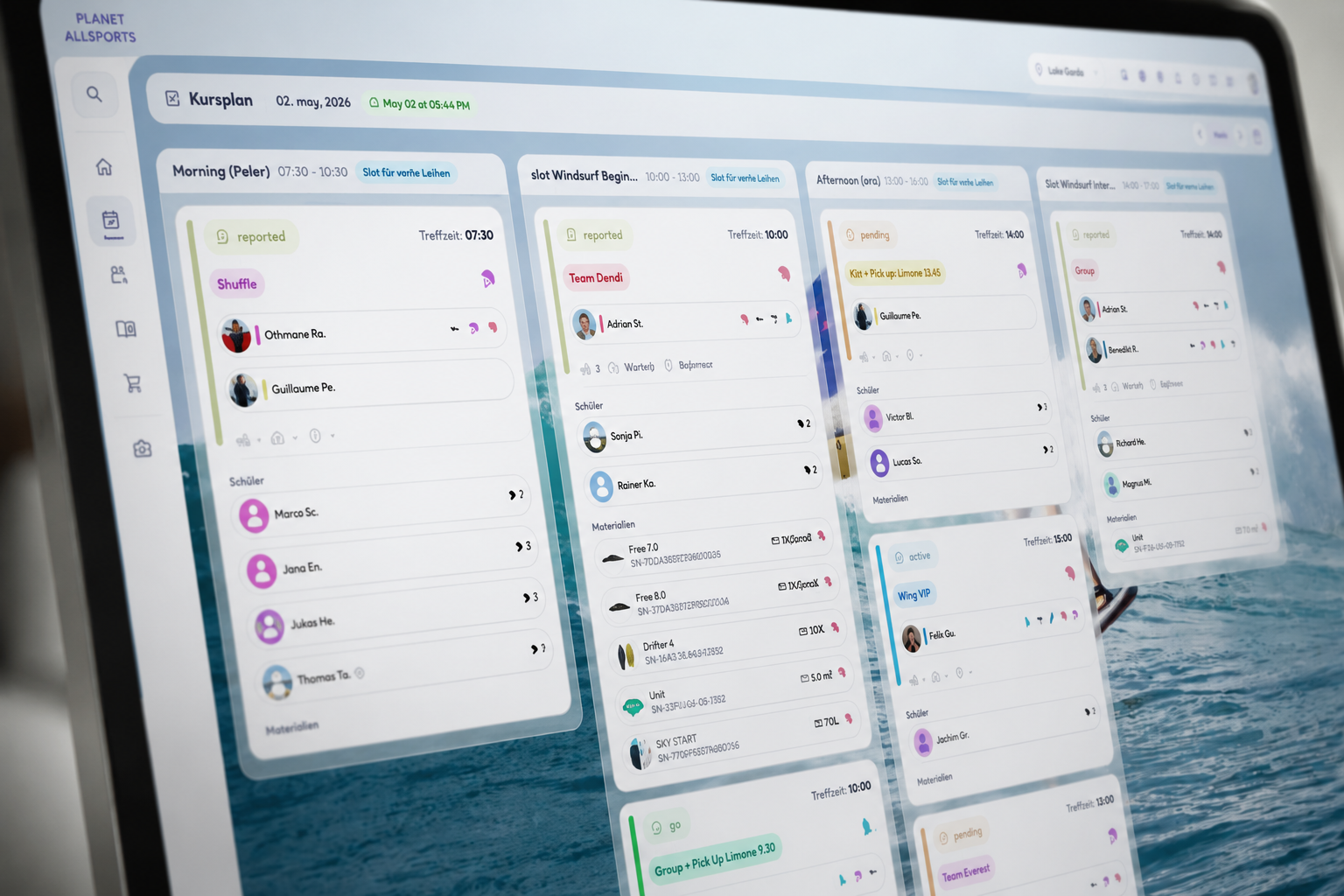
Booking is the visible part. Operations are the hard part.
For the customer, the journey may look simple:
- Choose a course.
- Book online.
- Pay.
- Arrive.
- Join the lesson.
For the school, much more happens behind the scenes:
- Is the student beginner, intermediate, or advanced?
- Which language does the student speak?
- Is the student part of a group booking?
- Which instructor fits the group?
- Which equipment is available?
- Is the wind or weather suitable?
- Is the shuttle required?
- Has the payment arrived?
- Are documents complete?
- Who checked in?
- Which material was used?
- Was the course completed?
- How many instructor hours should be paid?
- Which equipment should be maintained, moved, or sold?
TIDEFORCE is built for this operational reality.
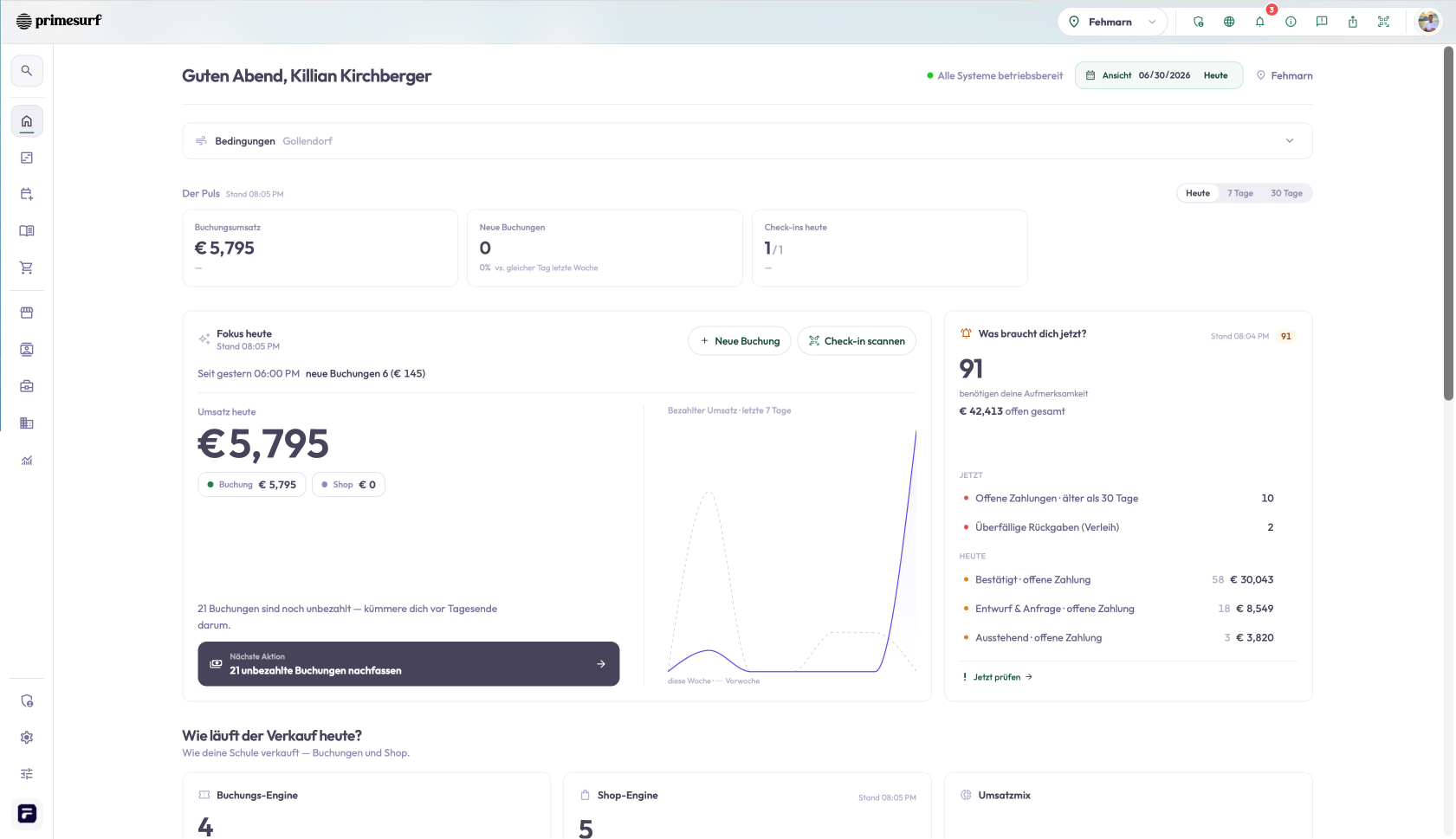
The six layers of a real watersports school system
1. Commerce Layer
TIDEFORCE helps schools sell the full offer:
- courses,
- rentals,
- events,
- tours,
- shuttles,
- accommodations,
- camping,
- storage,
- vouchers,
- shop products,
- add-ons,
- and walk-ins.
This is important because watersports schools often make money from more than lessons.
2. Guest Experience Layer
TIDEFORCE supports a better guest journey through:
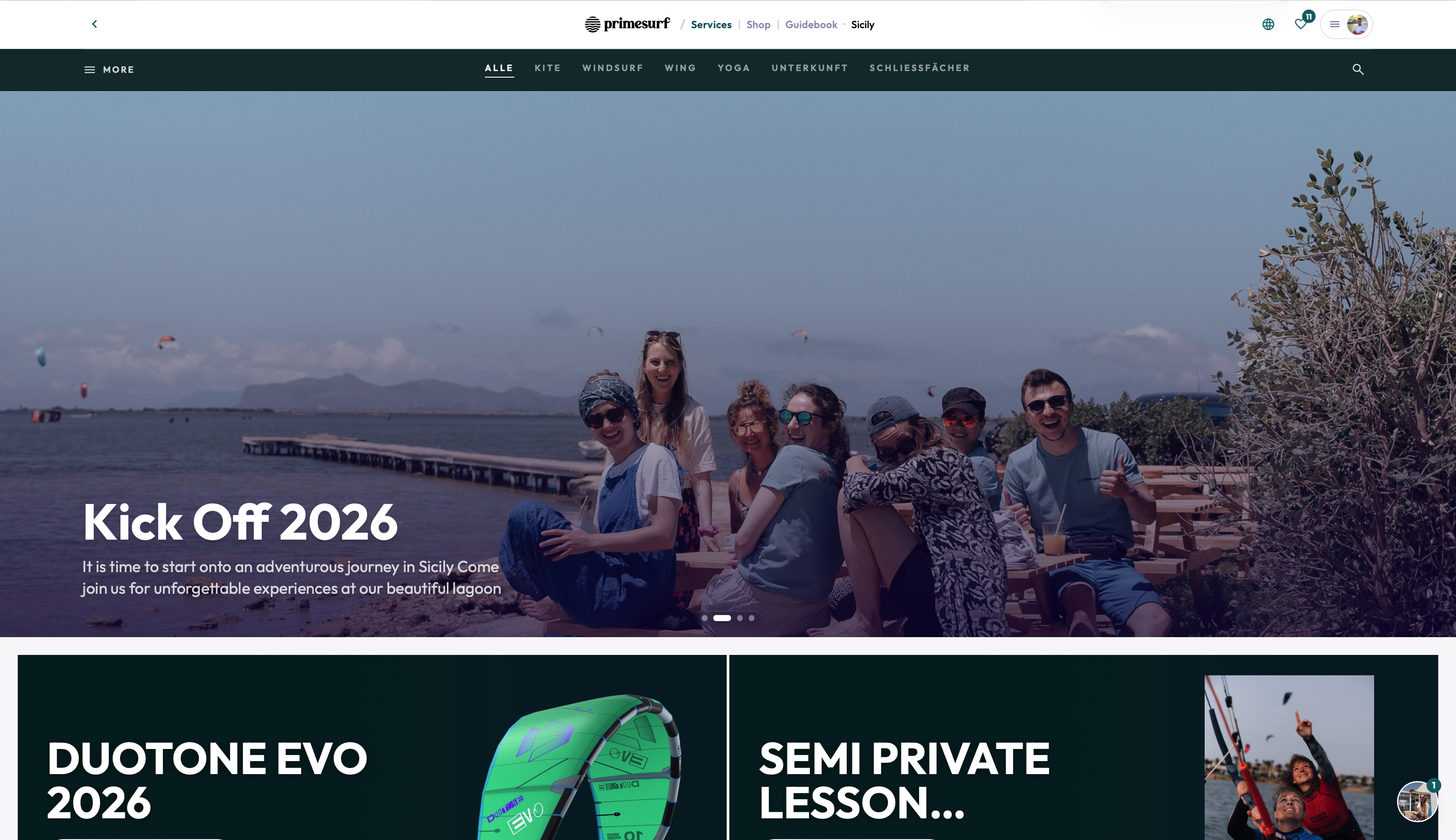
- booking engine,
- guidebook,
- local recommendations,
- event information,
- side activities,
- preparation content,
- live spot information,
- and future no-login booking access with secure links and QR check-in.
The goal is simple:
No student has to log in. Every student can log in.
3. Operations Layer
This is where TIDEFORCE becomes powerful.
The system supports:
- student grouping,
- language matching,
- level matching,
- instructor assignment,
- flexible day planning,
- company calendar,
- check-in,
- reports,
- and payroll.
Instead of planning everything manually in Excel or WhatsApp, the school can run the day in one system.
4. Rental and Inventory Layer
Watersports schools often operate with expensive gear.
TIDEFORCE helps with:
- rental dashboards,
- rental canvas,
- assigned equipment,
- material usage,
- material hours,
- location tracking,
- storage management,
- condition history,
- and real material analytics.
This gives the school a clearer view of what equipment is being used, where it is, and how it performs.
5. Finance Layer
TIDEFORCE connects bookings and payments to invoices.
The goal is to reduce manual finance work:
- create invoices from bookings,
- create invoices from payments,
- attach invoices to the correct records,
- reduce errors,
- and make the booking-to-payment-to-invoice flow easier.
6. Growth Layer
Because TIDEFORCE understands what happened in the operation, it can support smarter growth.
Examples:
- promote equipment a student used in a course,
- send follow-up offers,
- request reviews,
- analyze booking funnel performance,
- understand which courses perform,
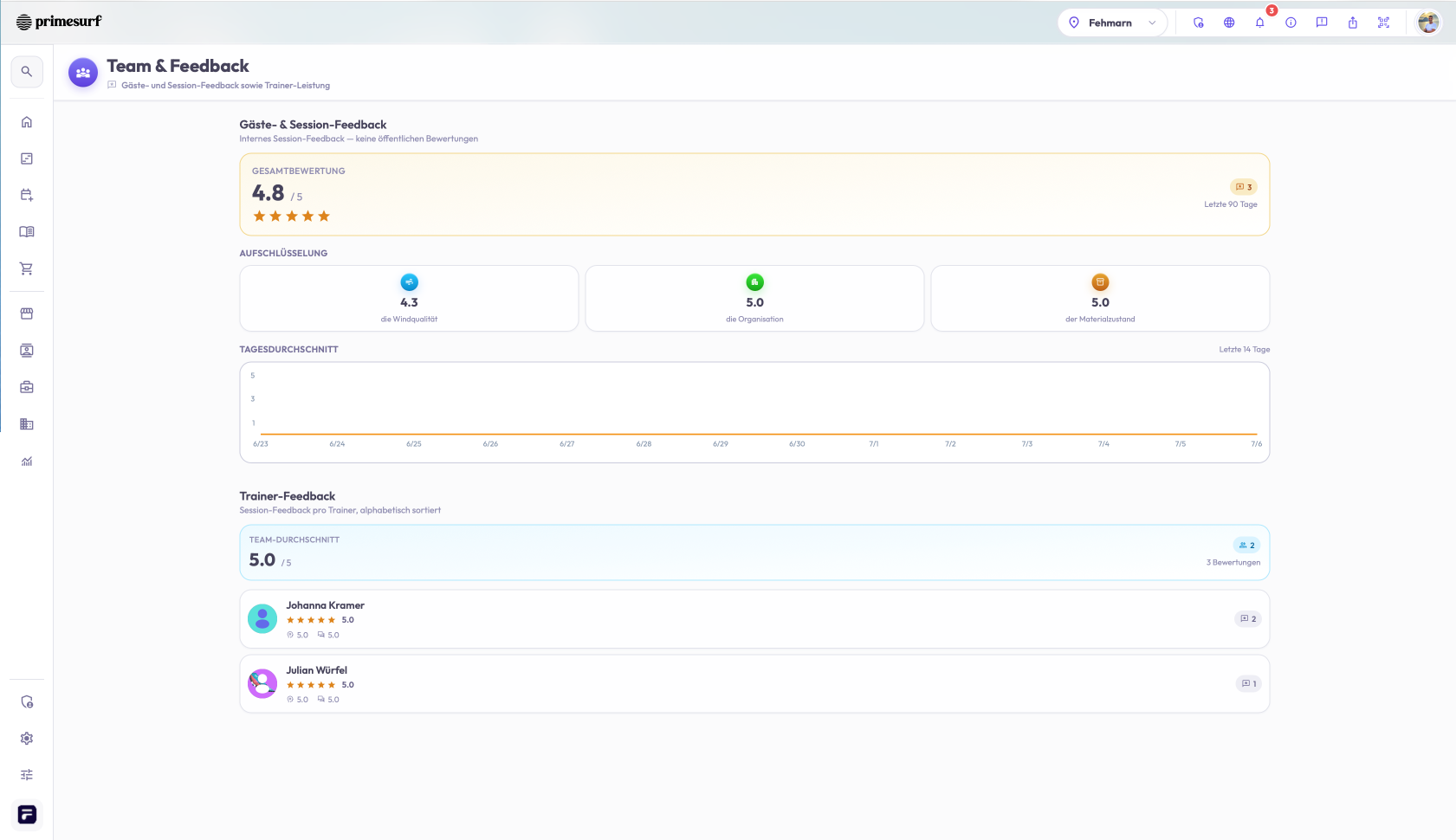
- understand instructor performance,
- and improve repeat booking.
Why this is different from general booking tools
General booking tools focus mainly on reservation flow.
TIDEFORCE focuses on the full school flow.
That distinction matters.
A watersports school does not just need to know that a booking exists. It needs to know what has to happen because of that booking.
A day in TIDEFORCE
Imagine a customer books a beginner kitesurf course.
TIDEFORCE can support the school through the full flow:
- The course is sold online.
- The customer receives confirmation and preparation content.
- The customer can access important booking information without a forced app login.
- The system knows the student's level and language.
- The student is matched into the right group.
- The instructor is assigned.
- The required equipment is connected.
- The student checks in.
- The lesson happens.
- The instructor reports what happened.
- The student gives feedback.
- Payroll and material hours are updated.
- Used equipment can become a shop opportunity.
- The customer can be invited to rebook.
That is not just booking.
That is operations.
The best operating system is the one that connects the business
The best operating system for a watersports school should connect:
- bookings,
- customers,
- instructors,
- rentals,
- material,
- reports,
- payments,
- invoices,
- shop,
- reviews,
- and insights.
That is the TIDEFORCE philosophy.
Conclusion
If your watersports school only needs a simple calendar, a generic booking system may be enough.
But if you want to run the full operation from booking to check-in, equipment, reporting, payroll, invoices, shop, and growth, you need a deeper system.
That is what TIDEFORCE is built for.
TIDEFORCE is the Commerce & Operations Platform for Outdoor Sports Schools.
01What is the difference between a booking system and an operating system for a watersports school?
+
A booking system focuses mainly on reservation flow, while an operating system connects the full school flow. TIDEFORCE is designed to know not just that a booking exists, but what has to happen because of it across booking, planning, equipment, check-in, payroll, invoices, and growth.
02What can a watersports school sell through TIDEFORCE?
+
TIDEFORCE helps schools sell the full offer, including courses, rentals, events, tours, shuttles, accommodations, camping, storage, vouchers, shop products, add-ons, and walk-ins. This matters because watersports schools often make money from more than lessons.
03Do students have to log in to use TIDEFORCE?
+
The goal is that no student has to log in, and every student can log in. TIDEFORCE supports future no-login booking access with secure links and QR check-in, so customers can reach important booking information without a forced app login.
04How does TIDEFORCE help with equipment and rentals?
+
TIDEFORCE helps with rental dashboards, rental canvas, assigned equipment, material usage and hours, location tracking, storage management, condition history, and material analytics. This gives the school a clearer view of what equipment is used, where it is, and how it performs.
05How does TIDEFORCE handle invoicing and finance?
+
TIDEFORCE connects bookings and payments to invoices, with the goal of reducing manual finance work. It is designed to create invoices from bookings and payments, attach them to the correct records, reduce errors, and make the booking-to-payment-to-invoice flow easier.
See how TIDEFORCE fits your school
In a short demo, we'll walk through your real workflows: services, booking, planning, team, guests, inventory, guidebook and shop.